If you are citizen of an European Union member nation, you may not use this service unless you are at least 16 years old.
You already know Dokkio is an AI-powered assistant to organize & manage your digital files & messages. Very soon, Dokkio will support Outlook as well as One Drive. Check it out today!
"Learning is something students do, NOT something done to students"
– Alfie Kohn
What is Podcasting?
The term podcasting derives its name from Apple's iPod, but to create a podcast or even to listen to one, you don't need to own an iPod, or any portable music player for that matter. In a nutshell, Podcasting is a new type of online media delivery. The easiest way to explain what a podcast is is to describe it as a user-created, online, radio program with one significant difference. While radio programs are scheduled and made available only at certain times of the day, a podcast can be accessed or downloaded at any time and thus is made available on-demand to the listener. When we create podcasts we are in fact creating and posting an audio file to the internet. Most commonly, these audio files are in an .mp3 file format, but can exist in any number of audio file types including, .wav, .ogg, and .aiff. Typically, an RSS feed is associated with user created podcasts that allows listeners to subscribe to the podcast. A consumer uses a type of software known as an aggregator, sometimes called a podcatcher or podcast receiver, to subscribe to and manage their feeds. iTunes and Juice are two examples of podcatching software.
Why Create Podcasts with Your Students?
Authentic Audience
Offers a window into the classroom
Encourages creativity and collaboration
Teaches effective communication skills
Engages students in their learning
Gives students a voice
How Podcasts Can be Used in Your Classroom
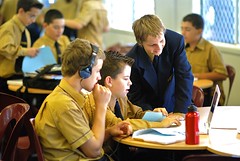
Record lessons for students.
Create a short introduction about your school or class that new students or parents can liten to and learn from.
Create a class/school online radio station
Encourage and allow for the option of students to submit assigned work as podcasts
Create audio resources for use by sight impaired students
Explore the possibilitiy of using podcasts as part of project research materials
Use/Create foreign language podcasts to improve liguistic skills
Create a podcast of a class fieldtrip
Encourage students to interview relatives and develop oral histories.
Ask students to create a podcast to meet a real need.
Educational Examples of Podcasts
Streaming Eagles - a great example of an educational use of podcasting. Students at Mitzi Bond Elementary school (El Paso, TX, USA) create book reviews for items checked out of their school library.
Radio WillowWeb - a podcast for kids and by kids from the students at Willowdale Elemetary School in Omaha, Nebraska. Each new show is called a Willowcast. Each Willowcast can be heard on WillowWeb as an mp3 digital audio file.
Speaking of History - a podcast and blog maintained by an 8th grade American History teacher in Missouri who attempts to use technology to enhance the curriculum. Teaching about George, Thomas and Abe using the latest technology.
Korero Pt. England School Podcast - from Aukland, New Zealand, Korero Pt England (KPE) has a global audience and won the ComputerWorld Excellence Award in 2006.
Steps to Making a Podcast
Planning Your Podcast
Planning your podcast is an essential first step in producing any quality production. Especially in a classroom setting, determining roles that various students will play, as well as designing the entire show from start to finish will save you time and headaches in the long run. Some things to consider as you begin planning your podcast are:
The theme of the show
Individual segment topics
Script writing, especially for younger students
The audience the show is aimed towards
Sound effects and music incorporated into your broadcast
What your teaser will include
Feel free to use one of the planning worksheets below to help you get started planning your broadcast, or develop your own based on your particular needs.
Planning worksheet from the Goochland County Schools in the Commonwealth of Virginia.
Podcast Planning Worksheet - handout used in Brian Grenier's podcasting workshop to help participants plan their podcast.
Actually recording and mixing your podcast can seem like a dauntiing task at first, but, rest assured, doing so is a fairly simple process once you've practiced doing so a couple of times. There are three basic tools you will need to record and mix any podcast:
Computer with internet connectivity
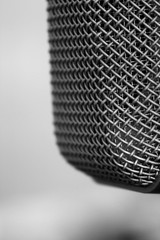
Microphone - although many computers and laptops come with a built-in microphone, these are often of low quality and it is recommended that, if possible, you invest in a quality microphone.
If you decide to use Audacity, download and install the LAME MP3 encoder so that you can save your recordings as MP3 files, the preferred format for podcasts.
Garageband - bundled within Mac's iLife software suite, Garageband is a wonderful application that will allow you to create your podcast and should already be loaded on your computer if you are running OS 10.4 or higher.
Handheld digital voice recorder - (Optional) if you plan on recording interviews "in the field", this piece of hardware makes a lot of sense.
A Bit About Creative Commons
There are a number of sites on the Internet that will allow you to download, and use (royalty free) music and sound effect clips for use in your podcast, some of those sites include:
After you have created a podcast on your computer, the next step is to actually publish your podcast to the Internet. First, you must find a site that will host your audio file on a server. While there are a number of sites out there that offer free hosting to educators, I'd encourage you to consider hosting your audio file, for free, at TeacherTube. TeacherTube will not only host your audio and video files, bu also provides a number of tools that make it simple to embed your Podcast to your web site.
Another site you may want to consider to host your audio file is Box.com - Box.com will allow you to organizeand view all of your content online in a familiar file and folder structure. Share or embed content with direct links to files and folders, turn any folder into a public webpage in one click and create widgets to share files on a your web page or blog.
Now that you have your podcast hosted on a server someplace you will generally want to embed your podcast into a webpage of some sort. You may want to consider making your podcast part of your web page, blog, or wiki. While some plugins are available that make embedding podcasts a relatively simple procedure, eg. Podpress if you are running a WordPress blog, often you will need to rely on hard-coding the file into your page. The following bit of code generally works to embed your file into your internet site and will automatically place a player into your page:
Note: by setting autoplay to "false" users will have to click on a play button in order to listen to your podcast, changing the value to true will automatically begin playing your podcast after the web page is loaded.
A collection of audio updates on current educational initiatives, interesting practice and the latest teaching technology from around Scotland, and beyond.
Online media is exploding…and with it, a new class of creative people producing their own music, podcasts, professional-level photography and video shows. We’ve compiled the largest list so far of useful tools
The final step in your podcasting experience is to sit back and actively listen to the broadcast you have created. Consider, as you are listening, what worked well in this episode and what needs to be improved upon in future podcasts.
Presentation and Workshop Highlights
Podcasting Participants
Additional Tools and Resources
Tools and Resources
Additional Reading and Listening
Brian Recommends These Books
Audacity Tutorials
Audacity Tutorial - College of Letter and Science at the University of Wisconsin
iTunes Link Maker - Connect your web site directly to the iTunes Store.
CC Publisher - a free tool that does two things: it will help you tag your audio files with information about your license and it allows you to upload Creative Commons-licensed audio and video works to the Internet Archive for free hosting
Creating a Podcast - created by Larry Nelson of the El Paso Independent School District, this web page offer readers a lot of goof information about podcasting in an educational setting.

 Record lessons for students.

 Actually recording and mixing your podcast can seem like a dauntiing task at first, but, rest assured, doing so is a fairly simple process once you've practiced doing so a couple of times. There are three basic tools you will need to record and mix any podcast:
 After you have created a podcast on your computer, the next step is to actually publish your podcast to the Internet. First, you must find a site that will host your audio file on a server. While there are a number of sites out there that offer free hosting to educators, I'd encourage you to consider hosting your audio file, for free, at TeacherTube. TeacherTube will not only host your audio and video files, bu also provides a number of tools that make it simple to embed your Podcast to your web site.


Comments (0)
You don't have permission to comment on this page.